Most people open the Mercado Pago app expecting to tap a button and order a card. The app asks for a national ID number, a selfie verification, and anti-fraud checks before the card request page even loads.
That verification wall trips up a lot of first-time users. Guides treat identity checks as a footnote, but they're the step most likely to stall the entire process.
This piece is for gig workers, freelancers, and Mercado Libre sellers across Latin America who need a spending card without a traditional bank account and want to know exactly where the process gets sticky.
What the Mercado Pago Card Connects To
The Mercado Pago card isn't a standalone product floating by itself. It sits inside the Mercado Pago digital account, which itself plugs directly into the Mercado Libre marketplace. Every transaction, refund, and sale balance from Mercado Libre flows into the same wallet that funds the card.
That connection matters more than most guides acknowledge.
If you sell handmade goods on Mercado Libre or take payments through QR codes at a market stall, the card becomes the physical exit point for money that already lives inside the ecosystem. There's no bank transfer needed as an intermediate step.
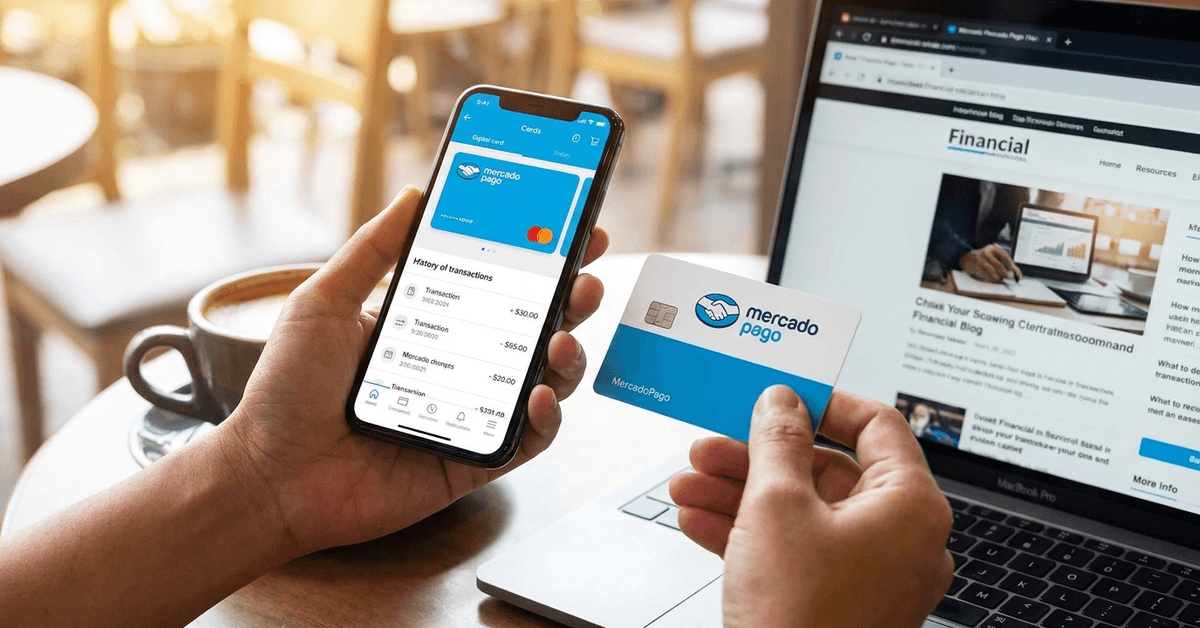
Mastercard Network and Acceptance
The card runs on the Mastercard network, so it works at any terminal or online checkout that accepts Mastercard.
That covers most physical stores and a huge slice of e-commerce across Argentina, Brazil, Mexico, Chile, and Peru. The limitation kicks in at certain international merchants and cross-border transactions, which I'll cover further down.
No Annual Fee, No Maintenance Cost
Mercado Pago charges zero annual fees and zero monthly maintenance fees for the card. The physical card ships free, and the virtual version appears in the app instantly after approval.
Transaction fees apply for specific actions like ATM withdrawals outside the eligible network, but the card itself costs nothing to hold.
Requesting the Mercado Pago Card Step by Step
The process has eight discrete steps, but three of them contain friction points that slow people down. Knowing where the friction sits saves time and frustration.
Setting Up or Logging Into the Account
A Mercado Pago account requires only a valid email, phone number, and a few personal details. If you already buy or sell on Mercado Libre, your existing login carries over.
The app is on both Android and iOS, and the card request lives inside the mobile app, not the desktop site.
Finding the Card Section
Look for the section labeled "Tarjetas" or "Cards" in the main menu. Mercado Pago updates its interface regularly, so the exact placement shifts between versions.
If the option doesn't appear on the home screen, check the side menu or search "card" in the app's help section. New users sometimes see a prompt in the main feed offering the card directly.
Identity Verification: The Part That Stalls People
This is where most applications slow down. Mercado Pago will ask for:
- A national ID number (DNI in Argentina, CPF in Brazil, CURP/INE in Mexico)
- A selfie taken in real-time through the app's camera
- Possible additional anti-fraud documentation depending on your account history
The selfie verification rejects blurry images, poor lighting, and mismatched ID photos. I would recommend doing this step in natural daylight near a window, with your ID document flat on a table, not held in your hand. Retaking selfies triggers a cooldown period on some accounts.
Reviewing Eligibility and Card Types
After verification clears, the app shows which card types are available. The standard option is a prepaid card that draws from your Mercado Pago balance. Some countries and account profiles also qualify for a credit-enabled card through Mercado Crédito, which allows purchases in up to 12 fixed monthly installments.
The credit card option depends on location and usage history. I think the installment feature through Mercado Crédito is underrated for freelancers in Brazil and Mexico who need to spread out equipment purchases across several months.
The rate isn't always published upfront, though, so check the app's terms before committing to installments.
Confirming Your Shipping Address
The app pulls your registered address, but always double-check the zip code and street number. Wrong addresses are a common reason for failed deliveries, and re-ordering after a failed shipment adds another 2-4 week wait.
Delivery Timeline
Physical card delivery takes 2 to 4 weeks depending on the country and region. Urban addresses in Buenos Aires, São Paulo, and Mexico City tend to land on the shorter end. Rural addresses can push past four weeks.
The app tracks delivery status, but if tracking stalls for more than 10 days, reaching out to support through the in-app chat tends to move things along faster than email.
The Virtual Card Trick Most Guides Skip
The physical card takes weeks to arrive. But the virtual card is available in the app immediately after approval. This means spending starts the same day as approval, not the day the mail carrier shows up.
The virtual card works for online purchases anywhere Mastercard is accepted. It has its own card number, expiration date, and security code, all visible inside the app. For anyone who sells on Mercado Libre and wants to reinvest earnings into supplies or advertising right away, this is the gap between "application submitted" and "card in hand" that doesn't need to exist.
I would argue that the virtual card is the more useful version of the two for most digital-first users. The physical card fills a narrow use case: ATM withdrawals and in-store purchases at shops without contactless payment. If 80% of your spending already happens online, the physical card becomes a backup rather than a primary tool.
Mercado Pago Card vs Traditional Prepaid Cards
Not every prepaid card works the same way. The differences are specific enough to matter for someone choosing between options.
| Feature | Mercado Pago Card | Traditional Prepaid Card |
|---|---|---|
| Monthly fee | None | Often $3-$5/month |
| Annual fee | None | Varies, sometimes $25+ |
| Identity verification | Selfie + national ID | Usually ID photocopy only |
| Ecosystem integration | Mercado Libre, QR payments, Mercado Crédito | Standalone, no marketplace link |
| Virtual card | Instant after approval | Rarely offered |
| ATM withdrawal | Available, capped by country | Available, fees vary |
| Cross-border payments | Limited, depends on country | Usually available with fees |
| App-based freeze/unfreeze | Yes, instant | Rare or unavailable |
The trade-off is clear: Mercado Pago wins on cost and ecosystem integration, but falls short on cross-border flexibility.
Managing the Card After Activation
Activation happens through the app once the physical card arrives. Tap the activation prompt, set a four-digit PIN, and the card links to your existing balance. A short system check may add a few minutes of wait time.
Funding the Account
Loading money into the Mercado Pago balance can happen through several channels:
- Cash deposit at partnered convenience stores and payment points (Rapipago, Pago Fácil in Argentina; OXXO in Mexico)
- Bank transfer from any domestic bank account
- Linked debit card from another bank
- Sales revenue from Mercado Libre transactions
The cash deposit option is particularly useful for users without a bank account at all. Walk into a participating store, provide your Mercado Pago account number, hand over cash, and the balance updates within minutes.
Freezing and Unfreezing
If the card goes missing or a transaction looks suspicious, the freeze button in the app disables the card instantly. Unfreezing takes one tap when the card turns up again. This works independently for the physical and virtual versions.
Replacement Process
Lost or damaged cards can be replaced through the app. A new request goes through the same shipping process, so expect another 2-4 week window. The virtual card remains active during this period, so online spending doesn't stop.
Cross-Border Limitations Worth Knowing
This is where the Mercado Pago card quietly disappoints people who travel or shop from international sites. Cross-border transaction support varies by country and card type. Some users in Argentina can make international purchases; others in different Latin American markets find the card blocked at foreign merchants.
ATM withdrawal limits also differ by country, and the caps tend to be lower than traditional bank debit cards. Check the specific limits in the app's card settings page before relying on the Mercado Pago card as a travel companion.
For anyone who regularly sends money across borders or shops from U.S. and European stores, a dedicated multi-currency card like Wise paired with the Mercado Pago card covers more ground than either one alone.
Questions People Ask About the Mercado Pago Card
A few questions keep coming up for people in the middle of requesting or activating their card.
- Q: Can the Mercado Pago card be used for recurring subscriptions like Netflix or Spotify? Yes, the card works for recurring payments as long as the balance covers the charge. If the balance drops below the subscription amount, the payment fails and the service may cancel your plan. Set up transaction alerts so a low balance doesn't catch you off guard.
- Q: Does the Mercado Pago card earn rewards or cashback? Mercado Pago runs periodic cashback promotions and discount campaigns through the Mercado Puntos loyalty program. These aren't permanent rewards tied to spending volume. They rotate based on partnerships with specific merchants, so the value depends on timing and location.
- Q: How long does identity verification take? Most verifications clear within 24 to 48 hours. Accounts flagged for additional review can take up to a week. Using a clear, well-lit selfie and double-checking that your ID number matches the registered name on the account speeds this up considerably.
Conclusion
The Mercado Pago card solves a specific problem for a specific type of user across Latin America. Gig workers and small sellers gain a free Mastercard without the paperwork a bank demands.
The virtual card closes the gap between approval and delivery, so spending starts immediately. Pair it with a multi-currency option for international purchases, and the coverage gaps shrink to almost nothing.