Staying connected is more important than ever, but for some, the cost of a phone can get in the way. If you’re using food stamps, officially known as SNAP, you might qualify for a free government phone.
This guide is for anyone relying on SNAP benefits who wants affordable options and a realistic look at how Lifeline, the key government program, actually works.
Maybe you’ve heard friends talk about free phones with food stamps, or you’ve spotted ads promising one if you qualify. But what’s fact, and what’s just marketing? Here, you’ll find the actual steps, important details, and even a few things applicants sometimes overlook.
What Is the Lifeline Program and How Does It Work?
The Lifeline program is a federal initiative to help low-income households afford phone or internet services. Run by the Federal Communications Commission (FCC), it provides a monthly discount for eligible users—sometimes even covering the full cost of basic phone service.
Why Is Lifeline Available?
Phone access is essential for job searches, emergency calls, and staying in touch with family or schools. For many, Lifeline bridges the digital divide by making it easier to manage daily life.
Who Actually Qualifies?
Eligibility isn’t universal. It’s linked to income and participation in other programs like Supplemental Nutrition Assistance Program (SNAP) —that’s what most people call food stamps. Medicaid, Supplemental Security Income (SSI), and a few others also count.
The program is open to households, not just individuals, with income at or below 135% of federal poverty guidelines. If you already receive food stamps, you’re usually eligible without additional proof beyond your current benefit statement.
How to Start: Steps to Apply for a Free Government Phone
Applying is easier when you prepare the required information in advance. Confirming your eligibility first can help prevent delays.
Confirm Your Eligibility First
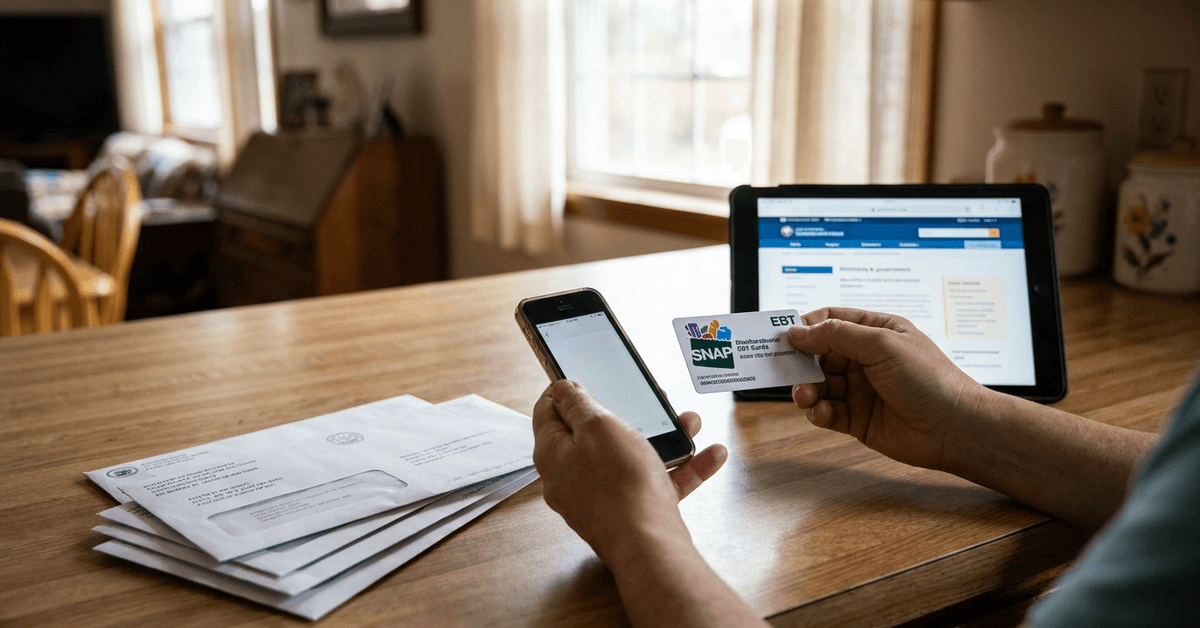
Some people try to apply without checking the rules, which can be frustrating. It’s best to have your SNAP card or a benefit letter ready, along with an ID and a proof of address. Small details matter, like matching names on documents.
Choose a Lifeline Partner Provider
Several major and regional phone companies participate in Lifeline. These include Assurance Wireless, Safelink Wireless, and Q Link Wireless, among others. Not every provider operates in every state, though, so checking the FCC’s list of Lifeline companies by state is useful.
Complete the Application (Usually Online)
Applications can be filled out online, by mail, or with help from a local provider store. The process is straightforward but can feel repetitive—inputting your name, address, and SNAP info more than once, in some cases.
Wait for Approval and Select Your Phone
Once approved, you’ll either be mailed a basic smartphone or given a SIM card if you already have a compatible device. There may be an activation step, and shipping times vary—some succeed in a week, others face backlogs or extra document requests.
What to Expect from a Free Government Phone Plan?
Free government phone plans are designed to cover essential communication needs. The exact features and benefits may vary by provider and program.
Basic Features and Limitations
These phones aren’t luxurious, but they’re functional. Expect calling, texting, and limited internet data. Devices are usually new or gently refurbished. The data limit is often enough for email or basic browsing, but heavy streaming? Probably not.
Upgrading Devices or Services
If you want more data or a newer phone, Lifeline providers often offer competitive paid upgrades. Deciding if it’s worth spending extra is personal—sometimes, a basic plan covers what you need.
Common Questions and Minor Issues
Many applicants have questions about the program's eligibility rules. Understanding these guidelines can help avoid application issues.
How Many People Per Household?
Only one Lifeline discount is allowed per household. This can be confusing if, say, multiple people in a home each get SNAP. Typically, one shared benefit per address is enforced.
What About Annual Recertification?
Lifeline eligibility must be reviewed every year. Continuing to receive SNAP usually means continued eligibility, but paperwork requirements can change. Missing recertification may cause service loss for a while.
Can Noncitizens Apply?
Eligible legal residents can qualify, but there are extra documentation rules. If you’re new to the US or have irregular paperwork, double-check requirements with your chosen provider or directly on the Lifeline National Verifier website.
Tips for a Smooth Application Process
A little preparation can help your application move more smoothly. Keeping your information accurate also helps prevent unnecessary delays.
- Keep copies of everything—your application, documents, and any follow-up messages.
- Use the same address and legal name as shown on your SNAP records.
- If you move, update your information quickly, since mismatched addresses are a frequent cause of application rejection.
- Don’t share your personal info with anyone except official Lifeline contacts or reputable providers.
Alternatives and Additional Resources
There are other resources available if you do not qualify for Lifeline. Exploring alternative programs may help you find an affordable mobile service.
What If You Don’t Qualify?
Some community organizations or regional assistance programs offer low-cost phones for others in need, even if government support isn’t available. Public libraries or local nonprofits sometimes know about small grants or emergency phone options, though there’s usually a waitlist.
Other Ways to Cut Mobile Costs
Discounted prepaid plans aren’t exclusive to Lifeline. Some retailers or carriers offer special promotions for low-income families, students, or seniors—not quite free, but sometimes surprisingly affordable after monthly discounts.
Where to Find More Help?
The official Lifeline Support page (https://www.lifelinesupport.org/) explains eligibility and links to the National Verifier system. That’s the safest place to begin.
State social services and organizations like National Digital Inclusion Alliance offer additional advice, but always use trusted sources.
Potential Pitfalls and Things to Watch For
Being aware of common issues can help you avoid scams and unexpected costs. Taking a few precautions can make the application process safer and smoother.
- Misleading offers: Only apply through the official Lifeline portal or listed providers. If someone asks for an upfront payment or your full Social Security number before you choose a provider, that’s a red flag.
- Unexpected fees: Basic phones and service should be free, but extras—case, charger, or upgraded plans—might not be. Check before accepting additional products.
- Network coverage: Some Lifeline companies don’t have strong signal in rural areas or certain buildings, so check reviews or coverage maps ahead of time if possible.